Never stumble switching to
Learning chord inversions is complicated and time-consuming — this app makes it fast and easy.
ChordTrainer measures every transition down to the millisecond, finds your weakest changes, and drills them specifically. For Mac, iPhone, and iPad.
Free to start.
Core features without a purchase. Upgrade anytime — monthly, yearly, or once as a lifetime license.
Offline & private.
Fully offline. No internet connection needed. Your data stays on your device.
By a musician.
Not a software company. Someone who faced the same problem and built the tool they needed.
The Principle
Pros sound fluid because they practice one thing: the transitions.
The transition in between is what counts.
Why ChordTrainer
Practice that actually works
Most musicians practice evenly. But your weak spots lie in very specific transitions. ChordTrainer finds them.
Reaction time
Every transition, down to the millisecond.
After each round, you see which transitions took the longest. One tap loads the weakest ones as a practice sequence — no guesswork about where to spend your time.
Voice Leading
Fewer jumps, smoother playing.
ChordTrainer calculates the inversion with the shortest finger distance for every change. Less hand movement, fewer mistakes, more professional sound.
Adaptive
A trainer that knows your history.
Adaptive mode analyzes your entire practice history and automatically generates sequences targeting your weakest transitions.
Deep Dive
What are inversions — and why do they change everything?
The same C major chord sounds different depending on which note is in the bass. Master inversions and you'll play more fluidly with less hand movement.
Root position — C in the bass
1st inversion — E in the bass
2nd inversion — G in the bass
Three times C major — three different feels
Root position, 1st inversion, 2nd inversion — all three are technically C major. But in practice, they determine how far your hand has to jump between two chords.
ChordTrainer automatically calculates the optimal inversion for every chord change, so your fingers always take the shortest path. That's Voice Leading — the secret behind the smooth playing of professional pianists.
On the built-in keyboard display, you can see in real time which inversion is active and which keys to press.
How it works
Get better in three steps
Build a sequence
Choose chords from the circle of fifths, load a template, or start with the diatonic chords of your favorite key.
Connect your keyboard & practice
USB or Bluetooth — ChordTrainer recognizes your chord instantly and measures how long each transition takes.
Target your weak spots
The statistics panel shows your slowest transitions. One tap loads them as a new practice sequence.
The App
See ChordTrainer in Action
Circle of fifths, practice mode, stats — on iPhone, iPad and Mac.
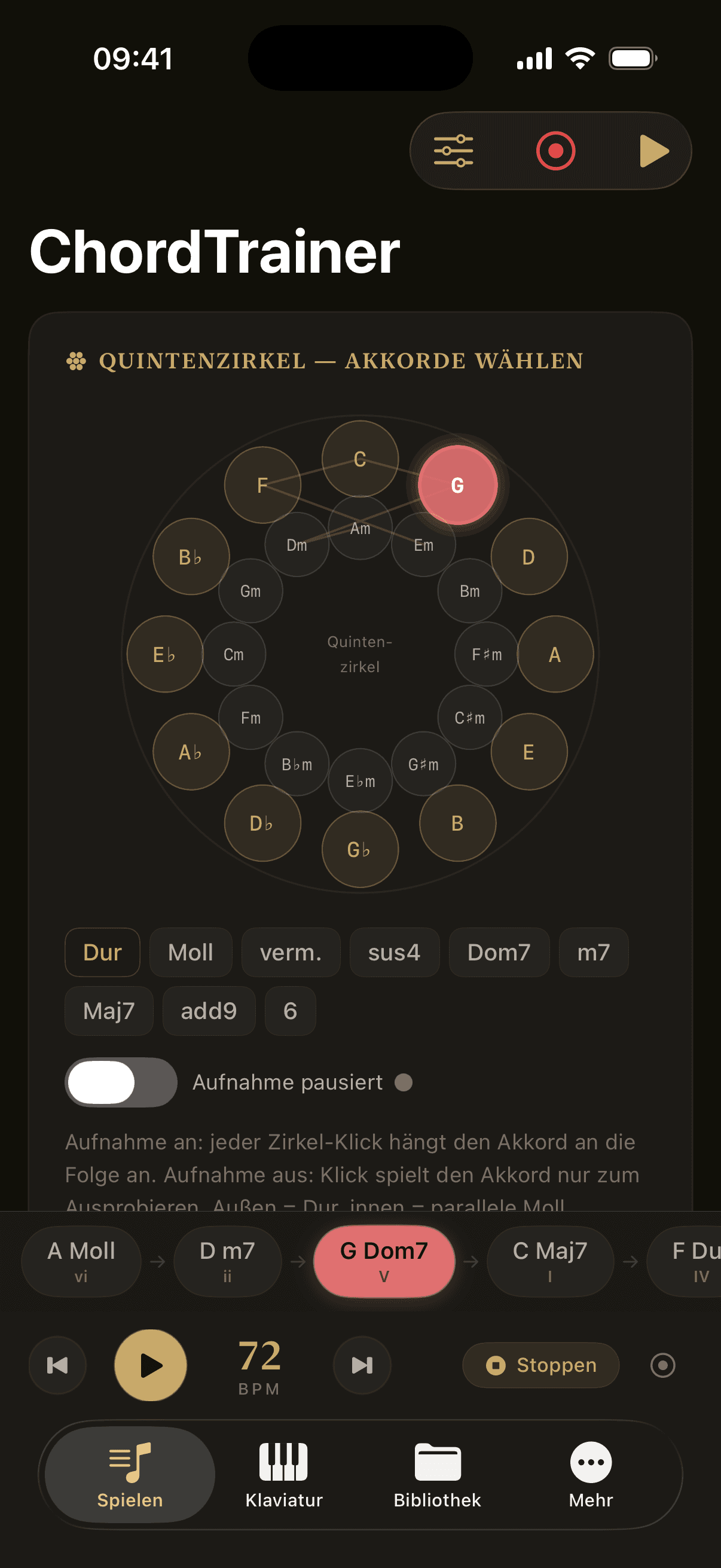
Circle of Fifths
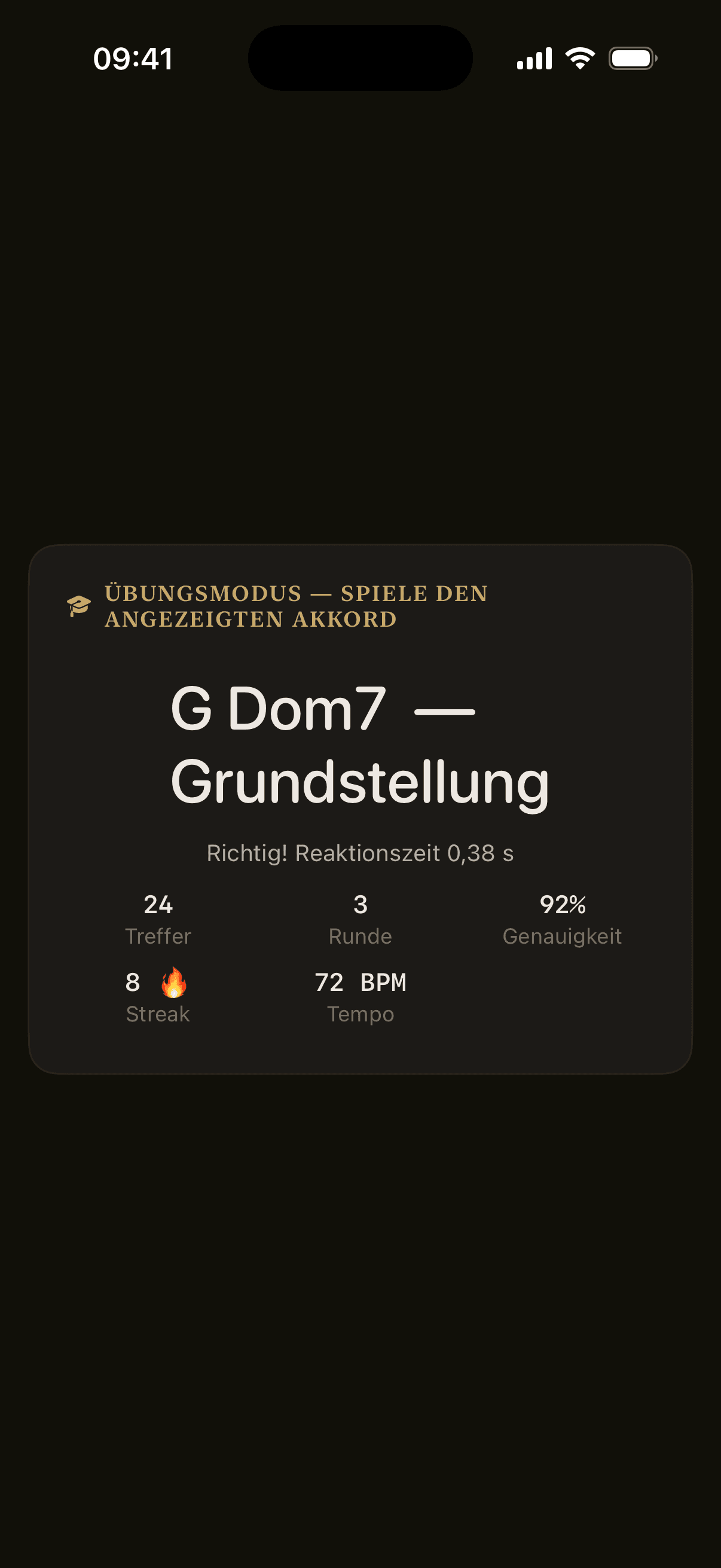
Practice Mode
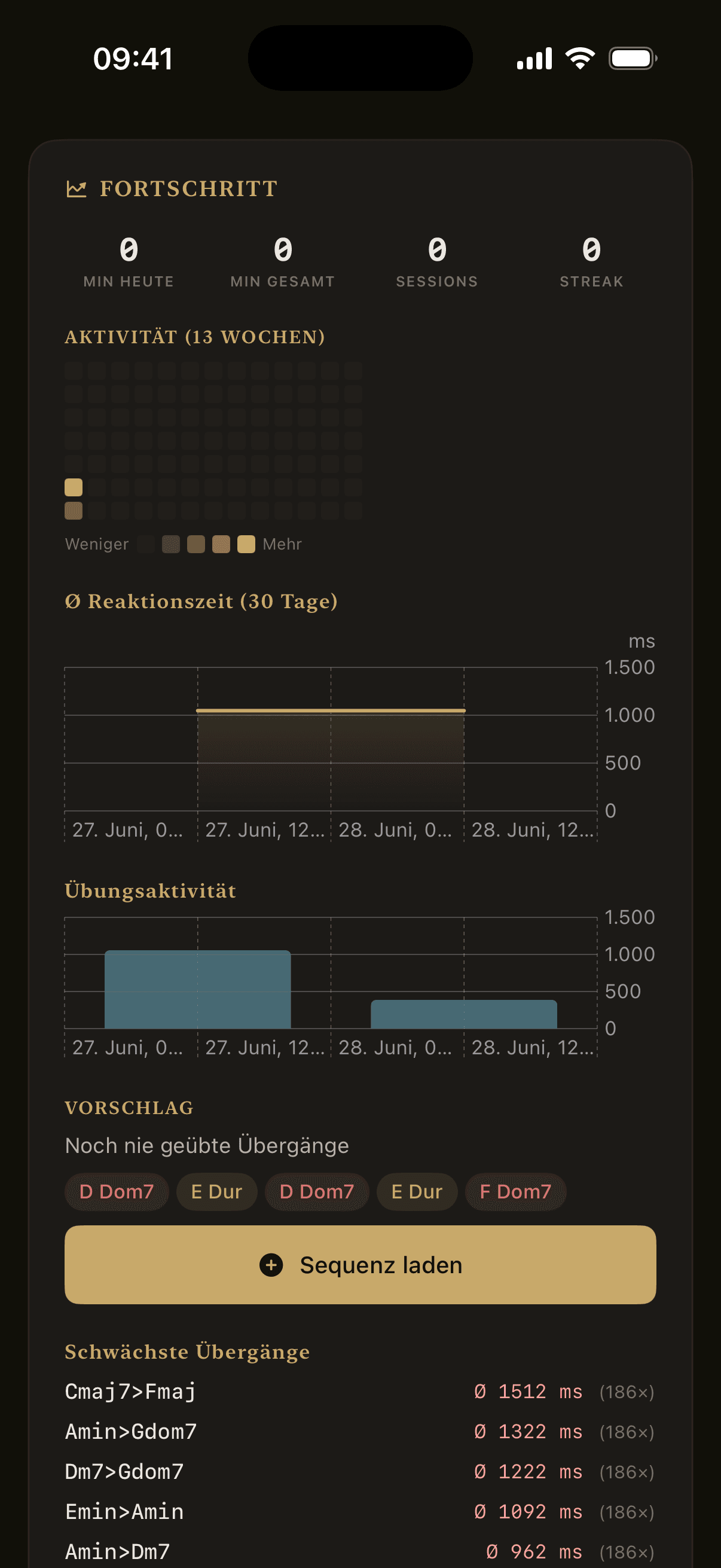
Statistics
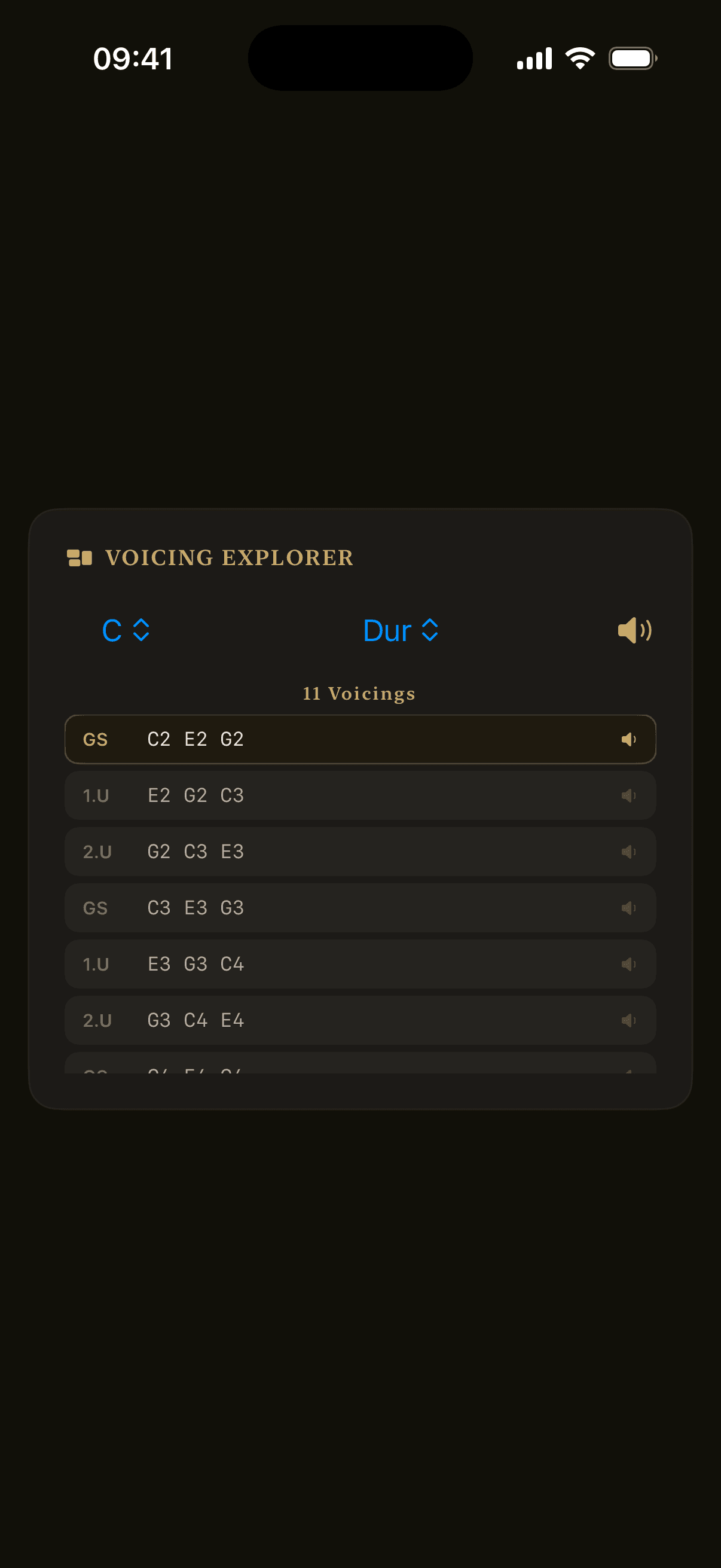
Inversions
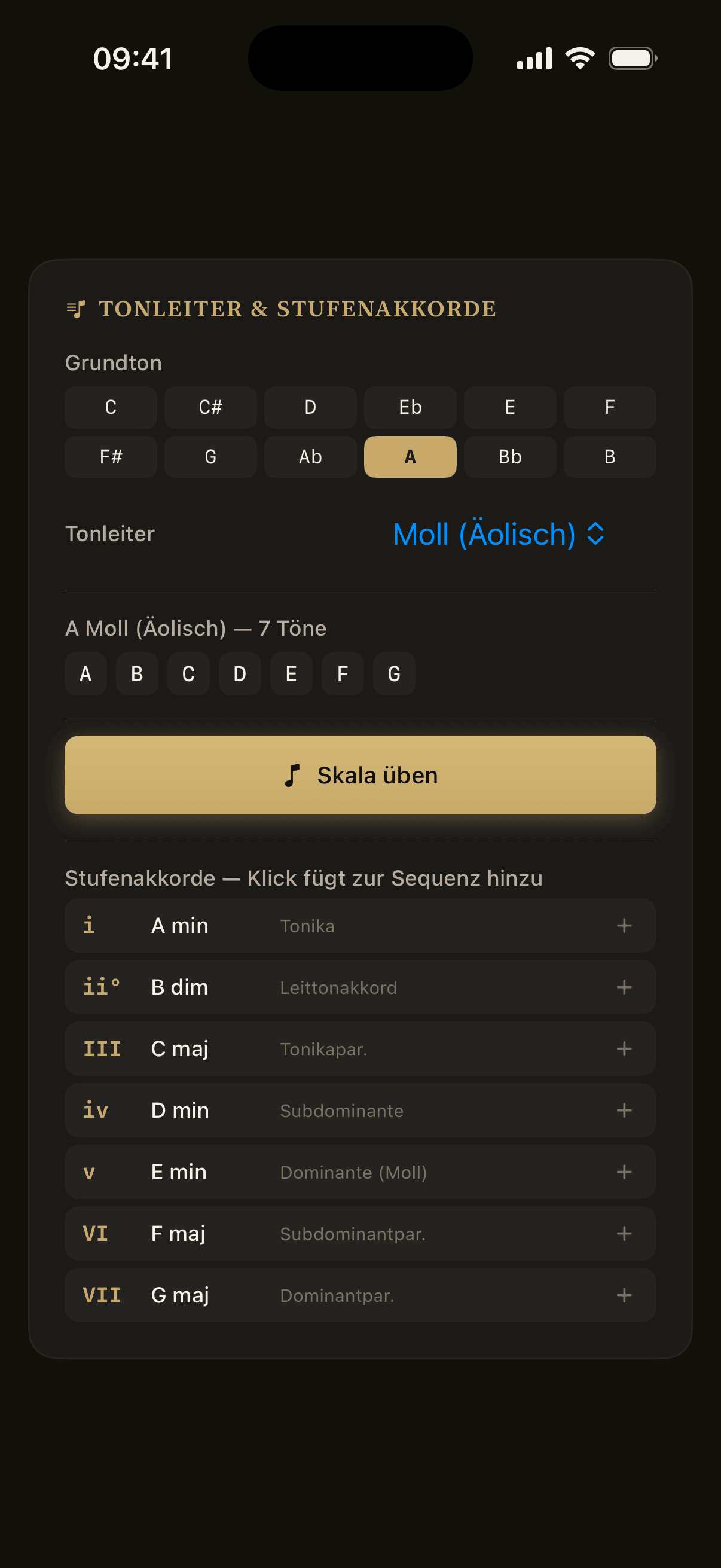
Scale Chords
Features
Everything included
Circle of Fifths
All 12 major and minor keys at a glance. Add chords to your sequence with a single tap.
Reaction Time Tracking
Every chord change is measured to the millisecond. See immediately which transitions slow you down — and when you get faster.
Adaptive Training
The app analyzes your practice history and automatically builds sequences from your weakest transitions. No guesswork.
Ear Training
Scale degrees in key context, intervals, chord types, inversions and full progressions — up to melodic dictation with solfège.
Microphone Detection
No MIDI keyboard? The app listens: chord recognition via microphone — right at your acoustic piano.
Daily Challenge
A fresh challenge every day, built from your weakest transitions. Build a streak, build a habit.
XP, Levels & Achievements
Earn XP, level up and unlock achievements — progress you can see.
Stats & BPM Chart
Track your progress over time: which transitions improve, which stagnate — with BPM history per sequence.
Bluetooth & USB MIDI
Connect any keyboard instantly — wireless or via USB. No drivers, no setup.
18+ Templates
Blues, jazz, modal, flamenco — ready-made sequences, playable immediately. Or create and save your own.
Song Library
Let It Be, Knockin' on Heaven's Door & more — real songs as practice sequences, by genre and difficulty.
iCloud Sync
Settings, progress and stats follow you automatically — across iPhone, iPad and Mac.
- For iPhone, iPad & Mac
- Built natively in SwiftUI
- Optimized for Apple Silicon
- Fully offline
- No trackers, no ads
Pricing
Start free, upgrade anytime
Monthly, yearly, or lifetime — you choose.
Existing Pro purchasers automatically receive Lifetime access.
All prices in euros. The actual price may vary by country or region in the App Store.
FAQ